Account Deletion
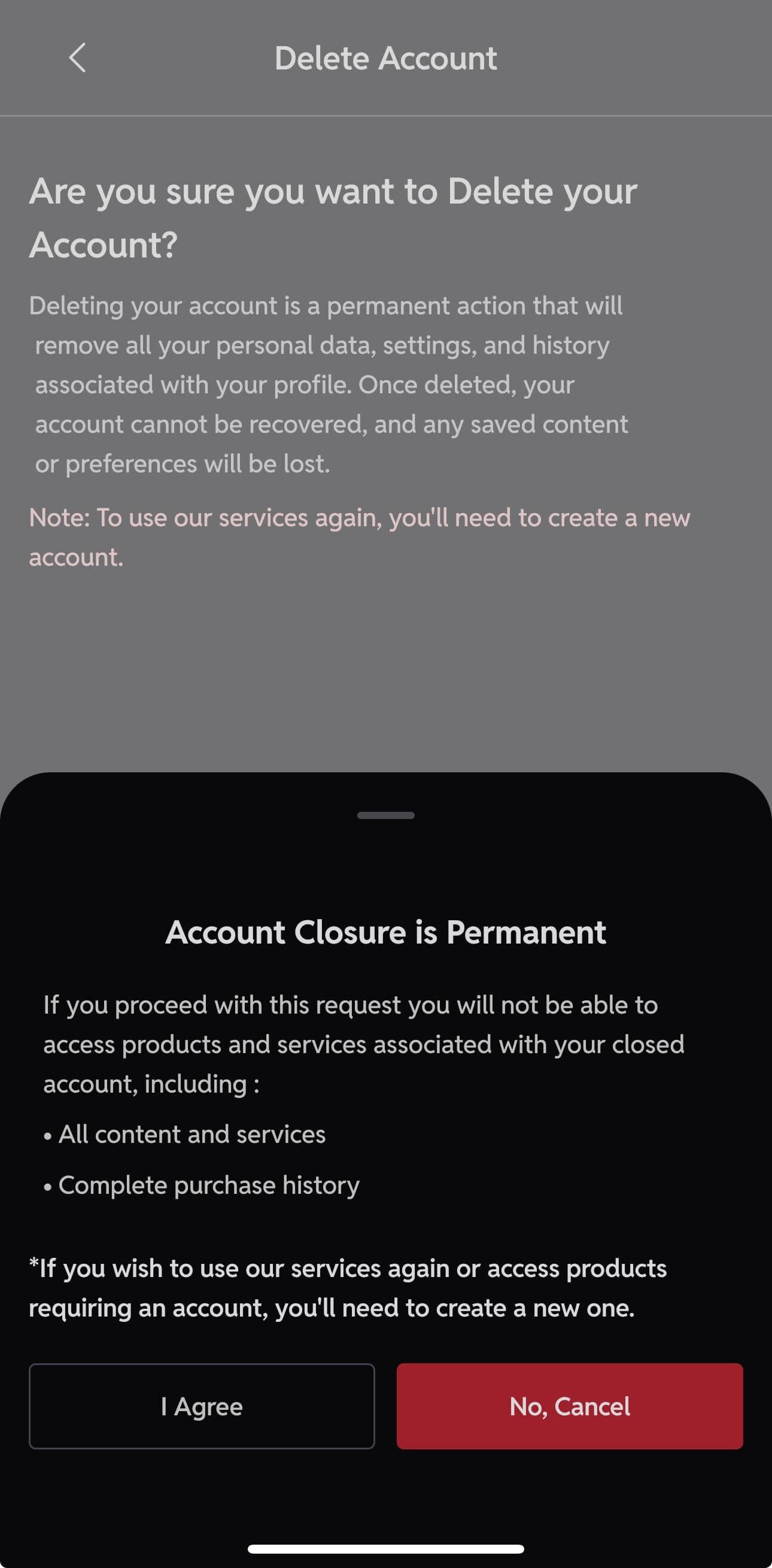
Account Closure is Permanent
Loss of Access:
If you proceed with deleting your account, you will lose access to all products and services associated with your account, including:
- All content and services
- Your complete purchase history
Note:
- 1.To use our services again or access products that require an account, you will need to create a new one.
- 2.Gyaane is required by law to retain certain data, such as your order history, for tax and security reasons.
Steps to Delete Your Account
Follow these steps in the Gyaane app to delete your account permanently.
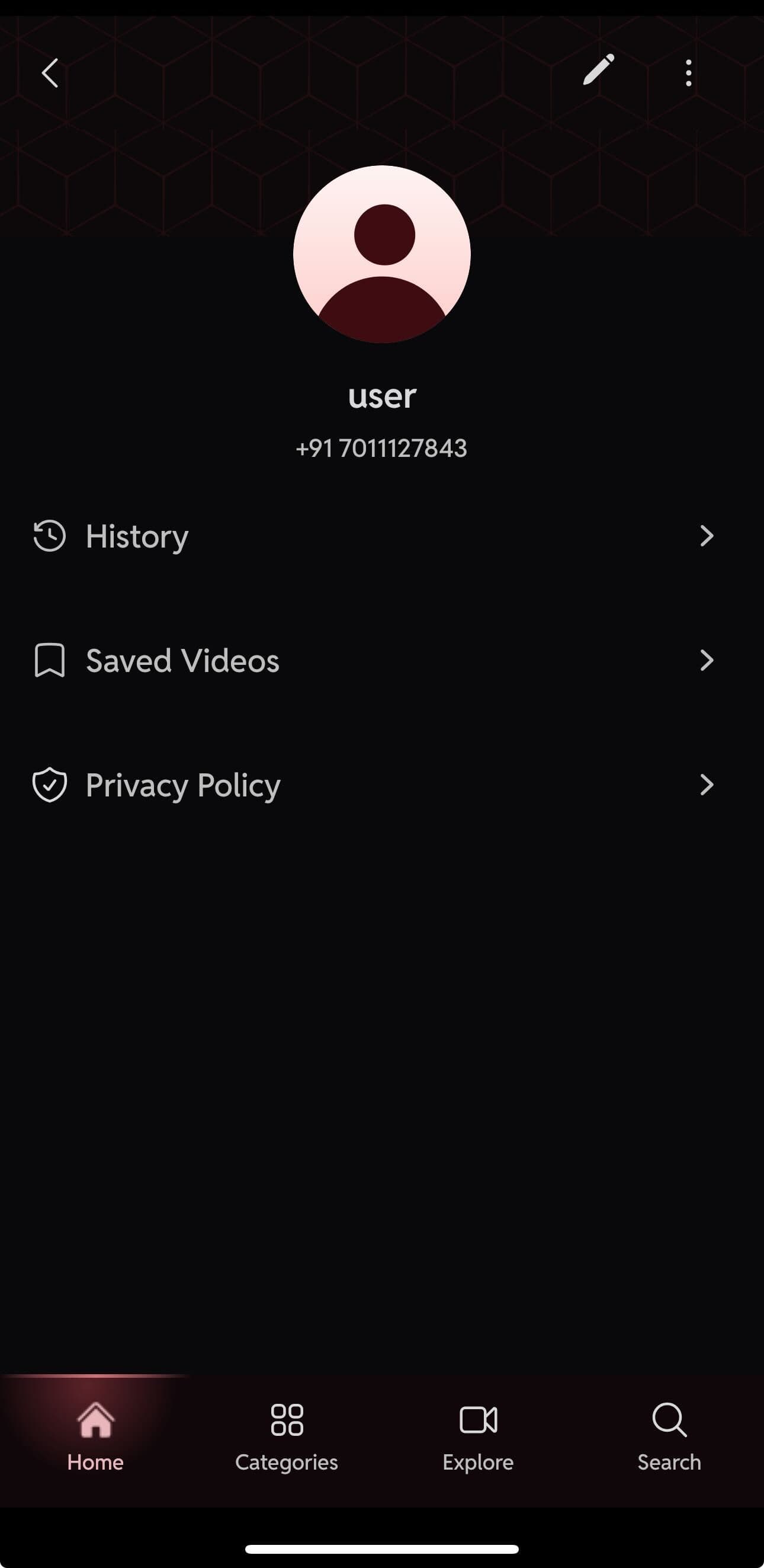
STEP 1
Click on Profile Button

STEP 2
Click on Three Dots Above Right Corner
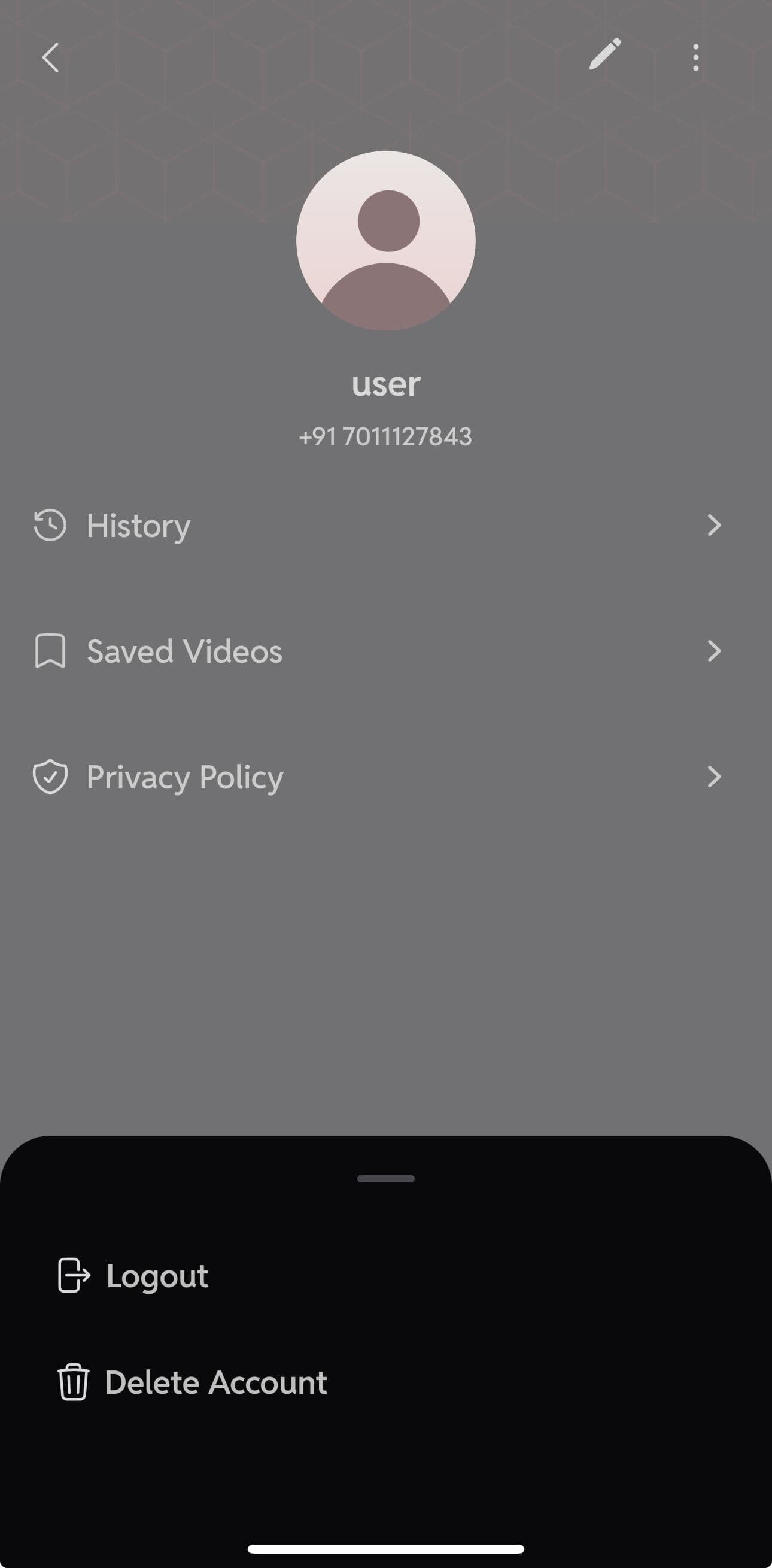
STEP 3
Click on Delete Account
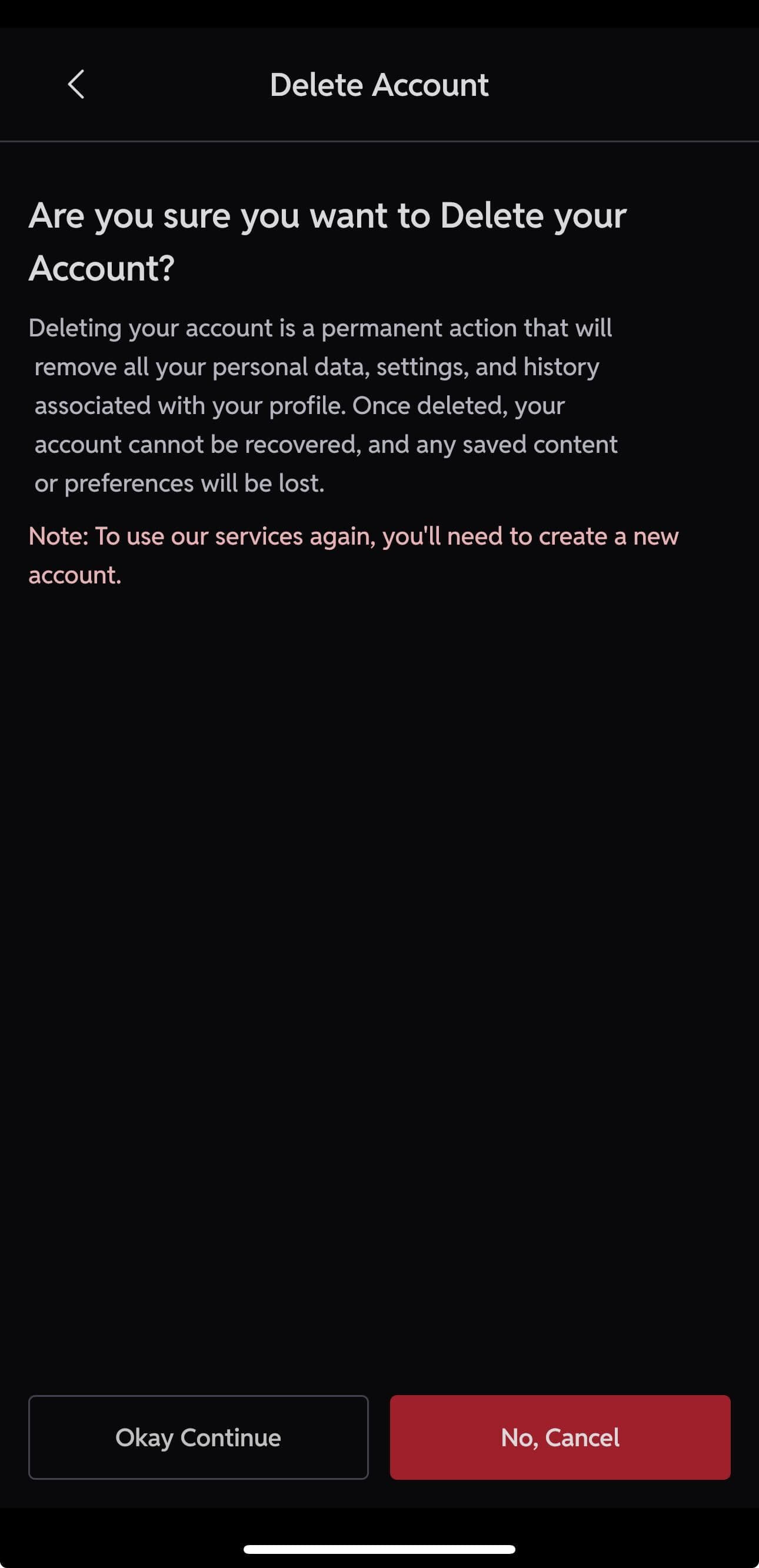
STEP 4
Click on "Okay Continue"
STEP 5
Click on "I Agree"
STEP 6
Select Reason and Click on "Submit"
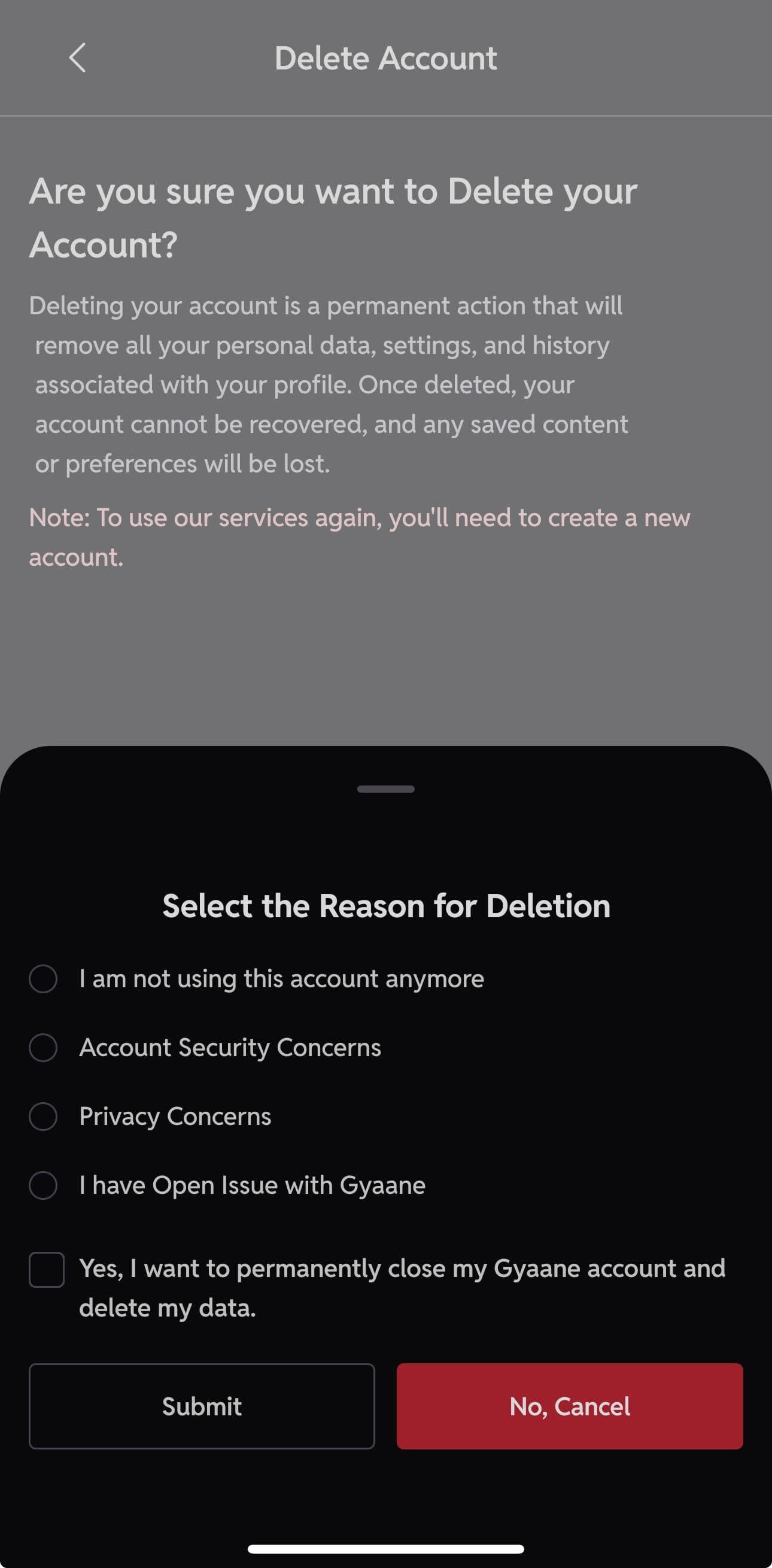
Ready to proceed with account deletion?
Gyaane